删除不支持的第3方插件
例如:
- AVProVideo
- WX-WASM-SDK-V2
- …
打Assetbundle包(WebGL平台)
注意:下载文件使用Application.streamingAssetsPath作为网站根目录
即:如果部署域名为 http://x.com
则将Assetbundle文件部署在 http://x.com/StreamingAssets/ 目录中
后续WebGL导出的 index.html, Build, TemplateData 则部署在 http://x.com 中
一键导出
public static void ExportWebGL()
{
PlayerSettings.SplashScreen.showUnityLogo = false;
PlayerSettings.SplashScreen.show = false;
PlayerSettings.companyName = "company";
PlayerSettings.productName = "product";
PlayerSettings.stripEngineCode = false;
PlayerSettings.enableInternalProfiler = false;
PlayerSettings.enableFrameTimingStats = false;
PlayerSettings.fullScreenMode = FullScreenMode.FullScreenWindow;
PlayerSettings.WebGL.decompressionFallback = true;
PlayerSettings.WebGL.debugSymbolMode = WebGLDebugSymbolMode.Off;
PlayerSettings.WebGL.compressionFormat = WebGLCompressionFormat.Gzip;
PlayerSettings.WebGL.nameFilesAsHashes = true;
PlayerSettings.WebGL.powerPreference = WebGLPowerPreference.HighPerformance;
EditorUserBuildSettings.allowDebugging = false;
EditorUserBuildSettings.development = false;
EditorUserBuildSettings.connectProfiler = false;
EditorUserBuildSettings.buildWithDeepProfilingSupport = false;
PlayerSettings.SetScriptingDefineSymbolsForGroup(BuildTargetGroup.WebGL, "根据情况填写");
var scenes = new EditorBuildSettingsScene[] { new("Assets/Game.unity", true) };
BuildPipeline.BuildPlayer(scenes, "web/", BuildTarget.WebGL, BuildOptions.None);
}
将会在web目录中,生成index.html, Build, TemplateData 3个产物
性能问题
- Unity URP 的WebGL可以使用微信优化后的小游戏版本
兼容性问题
屏幕适配
如果是横屏游戏,直接导出后在手机上无法适配,需要进行屏幕适配
将以上模板库替换掉导出的index.html, TemplateData文件,再将整个web目录部署到自己的x.com上
输入问题
在手机上无法输入,需要导入WebGLInput插件
https://github.com/kou-yeung/WebGLInput
在InputField组件上,挂载WebGLSupport.WebGLInput组件
注意 WebGLSupport.WebGLInput有坑,代码中Application.isMobilePlatform在WebGL上为false,需要强行将所有的Application.isMobilePlatform直接为true;
以下为修改后的版本
触摸的问题
可能发生:在手机浏览器,或者微信上,运行正常,但是在电脑(Chrome/Edge)上无法点击
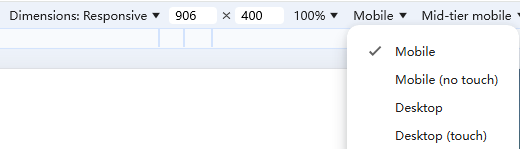
Input.touchCount
可能为0,需要使用
Input.GetMouseButtonDown